

Covariates are other columns that help the forecast. There are two kinds:
- Known: values you know ahead of time, over the history and the next
hsteps. Planned prices, promotions, holidays, a weather forecast. - Past: values you only know up to now. Store visits, yesterday’s temperature, a related market.
In a DataFrame
Section titled “In a DataFrame”Name the columns with known and past. Put the known columns’ future values in the rows after your last
observation, with the target left empty:
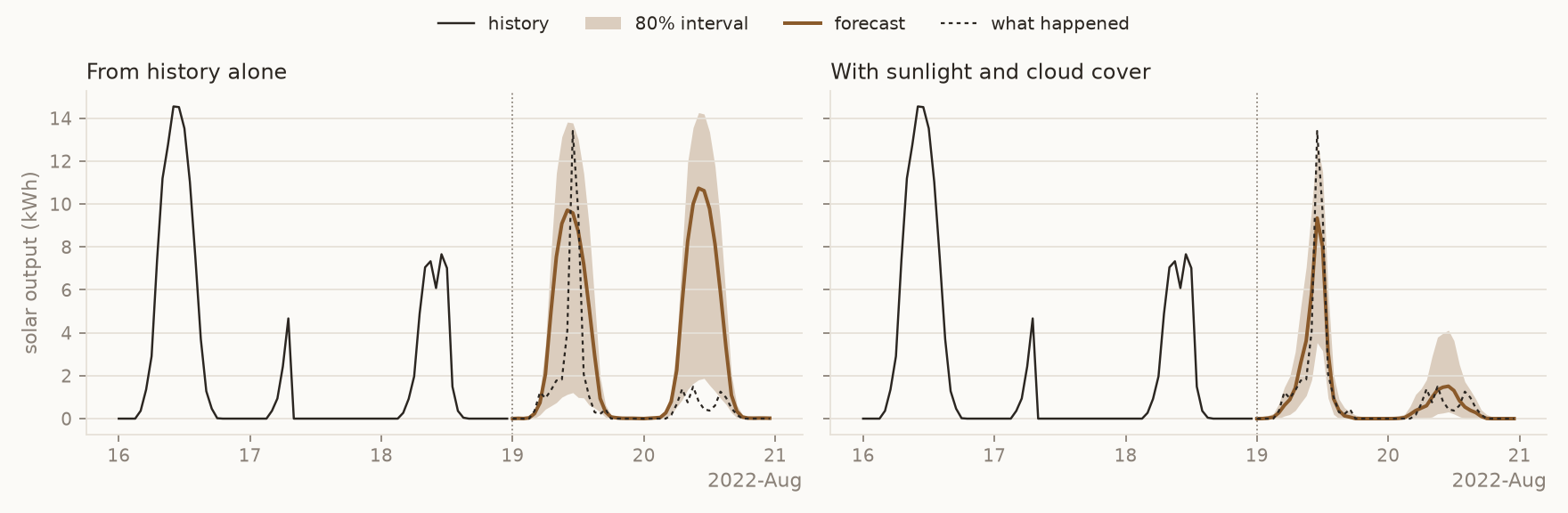
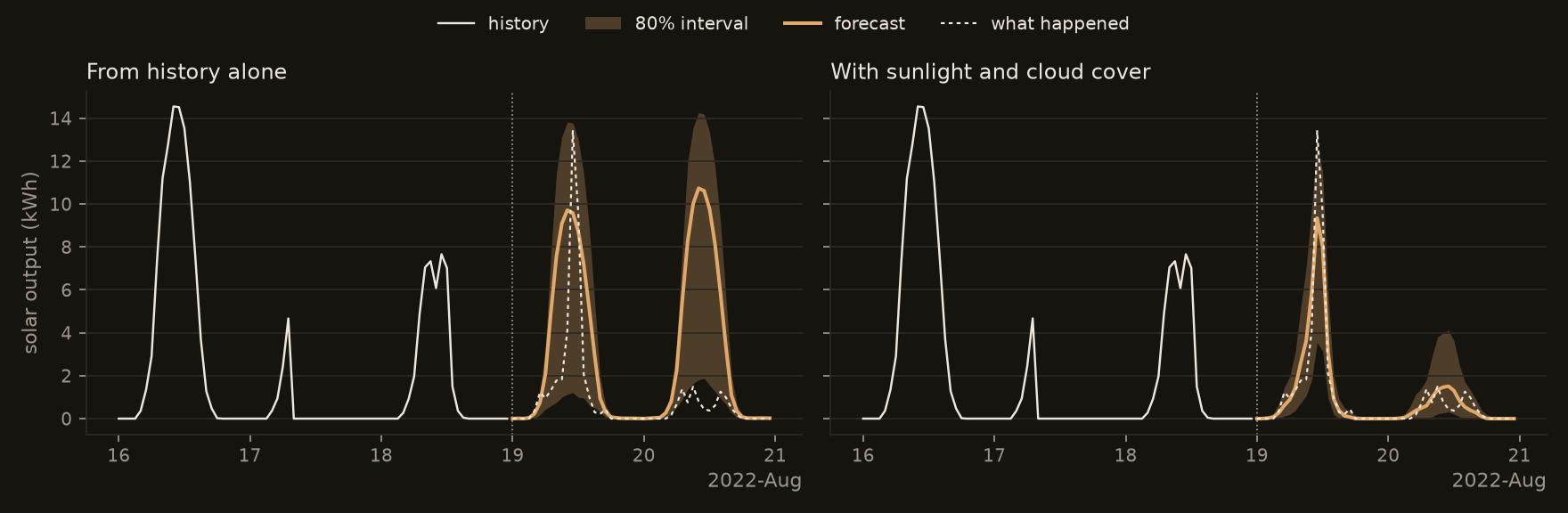
# df: one row per hour with ds, y (solar output), sunlight and clouds;# the last 48 rows hold tomorrow's weather forecast, with y emptyfc = model.forecast(df, h=48, known=["sunlight", "clouds"])Or keep the future values in a table of their own, with the id and time columns and the known columns, one row per future step:
fc = model.forecast(history, h=48, known=["sunlight", "clouds"], future=future)Past covariates need no future values:
fc = model.forecast(df, h=7, past=["visits"], known=["day_type"], future=future)With arrays
Section titled “With arrays”Pass one dict per series: past values cover the history (length T), known values cover the history and the horizon
(length T + h).
fc = model.forecast(history, h=24, past={"visits": visits}, known={"price": price})For several series, pass a list with one dict per series.
Categories
Section titled “Categories”Text values are treated as categories, so a column like day_type with "workday" and "weekend" works as it is. No
one-hot encoding needed.